Available from the Q2 2026 update, the Live Link functionality is designed to ensure uniformity between sales groups across outlets. In overview when Live Link is active:
- When items are added to a Live Link sales group, the same item will be added to all outlets where the same sales group exists with the relevant revenue code
- When items are updated (e.g. price changed) in a Live Link sales group, the item will be added and/or updated to all outlets where the same sales group exists
- Where items are deleted from a Live Link sales group the item will be deleted from the sales group across all outlets
For Example:
- The sales group 'Breakfast' is set to live link and exists within the Restaurant & Bistro outlets
- When items exist in the Restaurant outlet they should be assigned to the 'Restaurant Food' revenue centre and in the Bistro outlet be assigned the 'Bistro Food' revenue centre
- A new item - 'Breakfast Sandwich' - is added to the Breakfast sales group of the Restaurant outlet with the revenue centre 'Restaurant Food'. On save the item is automatically created in the Breakfast sales group of the Bistro outlet with the revenue centre 'Bistro Food'
- Subsequently the price is updated in the Bistro outlet from £6.95 to £7.95. The price will automatically update in the Restaurant outlet also
- The item is deleted from the Restaurant outlet. This triggers the deletion of the item from the Bistro outlet also
HART Configuration
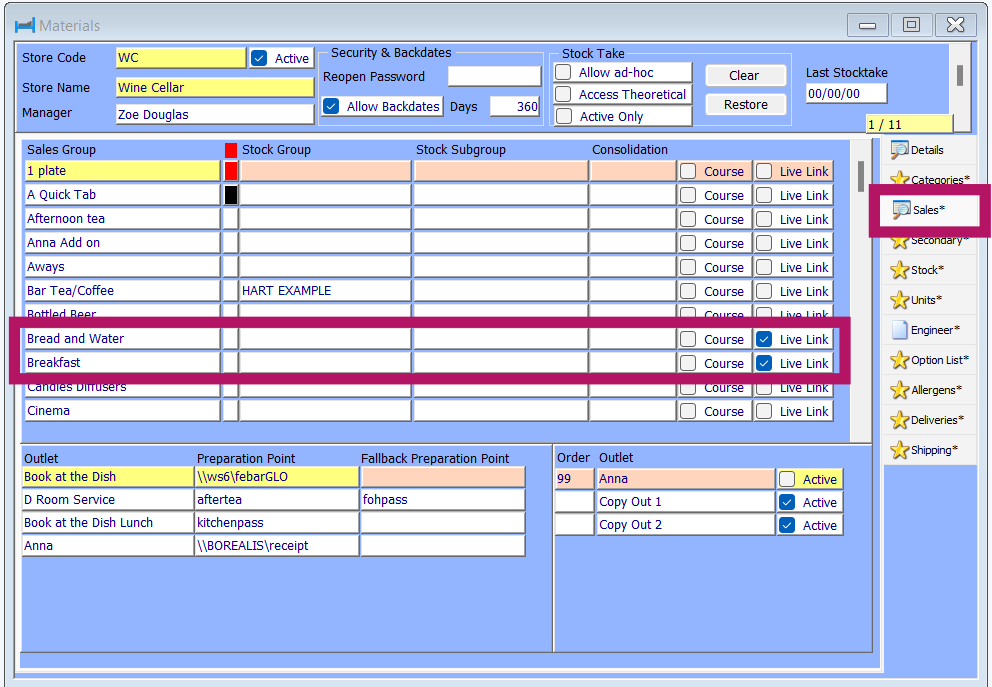
Via Configuration > Materials > Sales ensure the Live Link tick box is checked
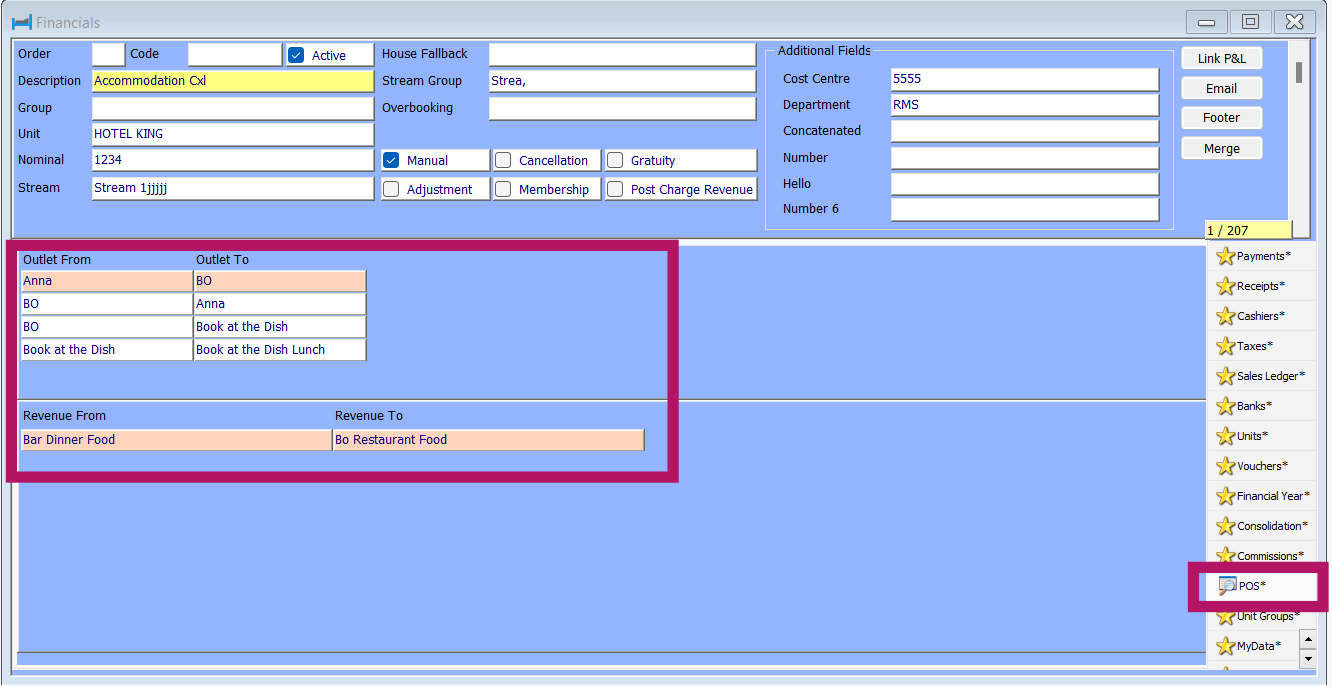
Via Configuration > Financials > POS the revenue translation is set. In the upper section the Outlets are detailed e.g. Anna => BO. The lower section is linked to the upper section and details the revenue translation. In this example when an item is added in a Live Link sales group in Anna using the Bar Dinner Food revenue centre it will be added to the BO outlet with the BO Restaurant Food revenue centre.
Was this article helpful?
That’s Great!
Thank you for your feedback
Sorry! We couldn't be helpful
Thank you for your feedback
Feedback sent
We appreciate your effort and will try to fix the article