By the end of this article you will be able to transfer stock from one store to another.
Go to Materials/ Transfer
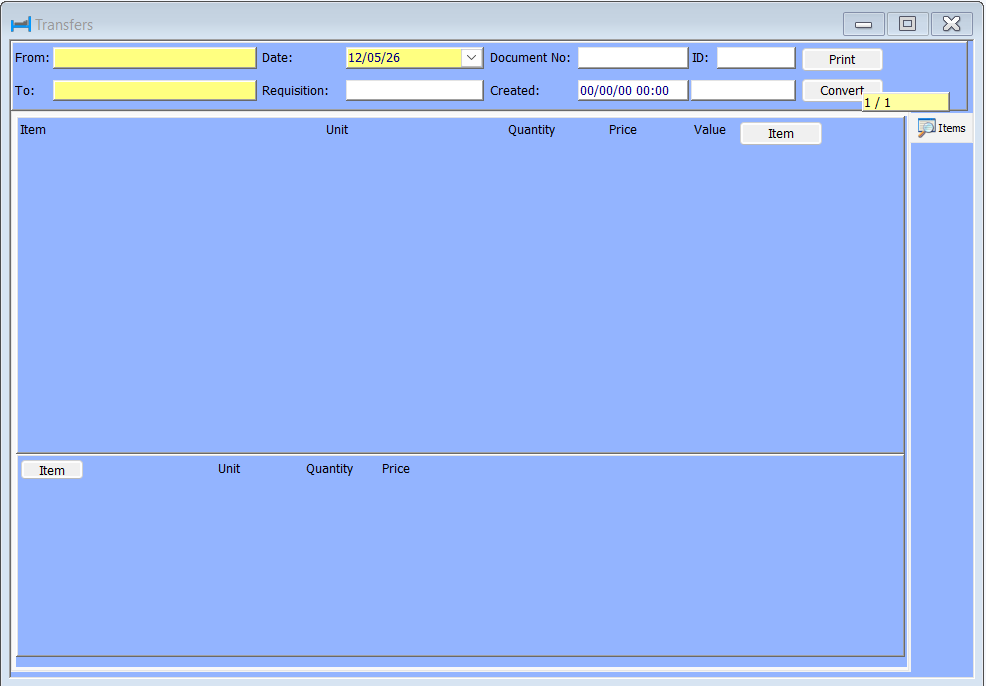
In here the below window opens. All highlighted fields are compulsororay and the document number is freely typed for your own reference. In here within the top window select from the drop down menu the From store and the To store. Next add the Date.
Make sure to save so you receive the ID before moving on the middle window.
HART TIP: If you are not able to see the stores from the drop in in the Transfer window go to Access/ User Matrix and allow your HART user to complete Transfers by ticking the relevant tick box.
Now navigate to the middle window and right click and add entry to add the Item, Unit, Quantity, Price, Value. If the item is set up add correctly the unit and the price should pull through automatically.
The price populates from the cost price and the value should be calculated by multiplying the quantity and the cost price.
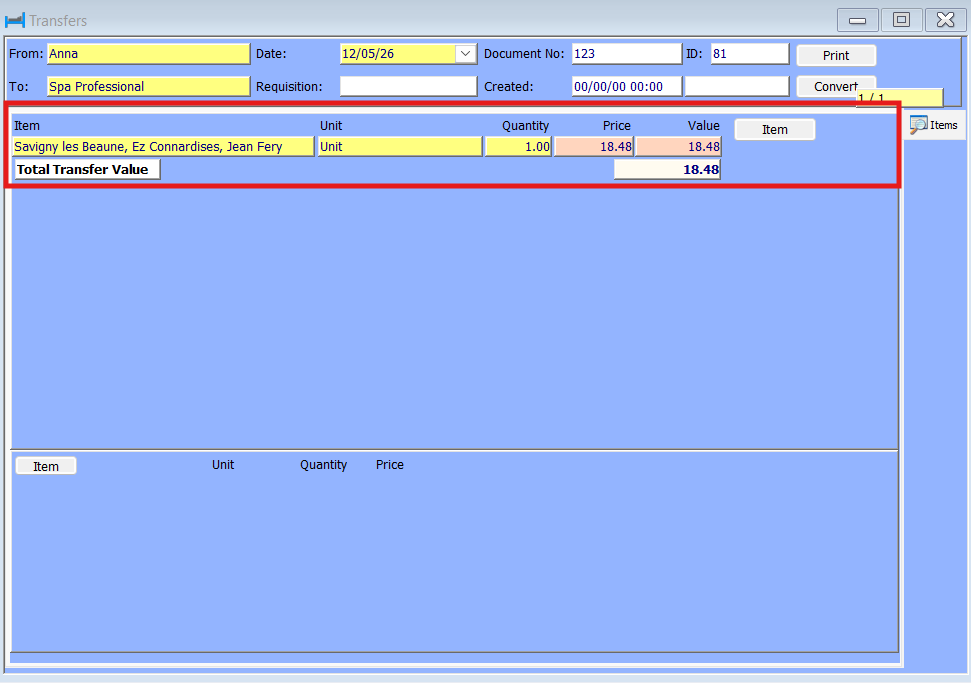
Once saved your Transfer is complete.
Was this article helpful?
That’s Great!
Thank you for your feedback
Sorry! We couldn't be helpful
Thank you for your feedback
Feedback sent
We appreciate your effort and will try to fix the article