At the end of this article you will be able to;
- Set Therapist commission for treatments
- Set Therapist retail commission
Setting Treatment commission per therapist.
Navigate to Configuration > Facilities > Spa. Ensure you have the correct facilities in the top window and under the Serv% column add in the percentage commission for the therapist, press save.
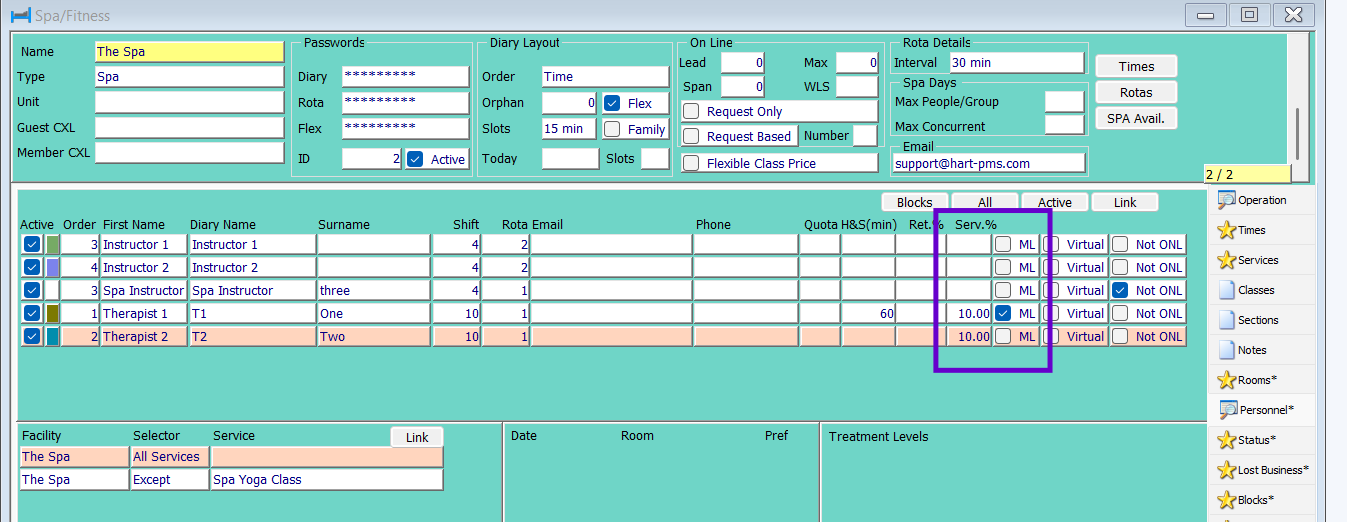
Once the treatment has been booked this will then show on this report;
Report > Spa >Referrals > Commissions
Note: if using the treatment commission you must ensure you are managing the Spa diary correctly as any non checked in booking appear on this report also.
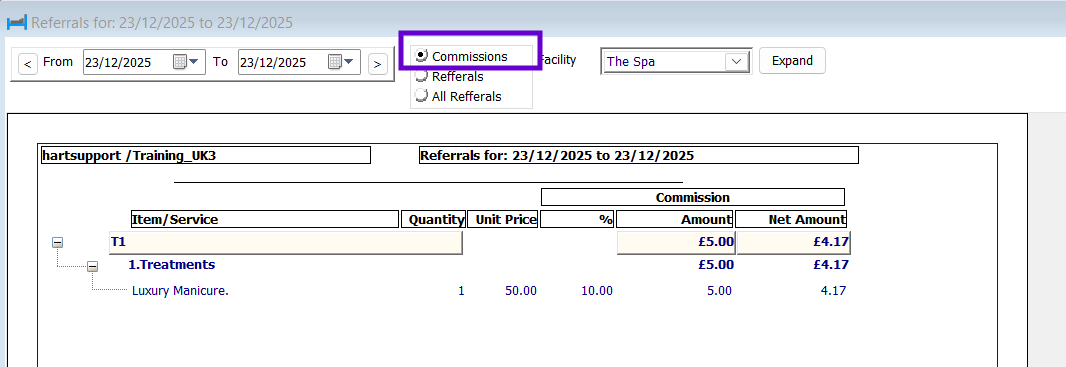
Note : Treatments within Spa days will show on the referral report but with no price.
Setting retail commission
There are 2 way of setting the retail commission, you can either set this at item level and use the referral report or you can set this at therapist level.
For setting at item level please see the referral guide
Setting at therapist level.
Navigate to Configuration > Facilities > Spa. Ensure you have the correct facilities in the top window and under the Ret% column add in the percentage commission for the therapist.
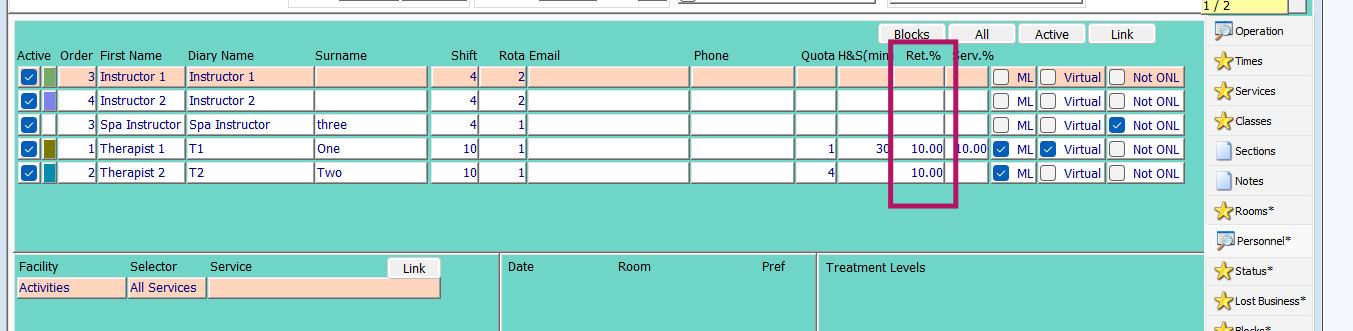
Note: if you use commission per therapist configuration, the report to run is the commission report;
Report > Spa > Referral and tick commissions
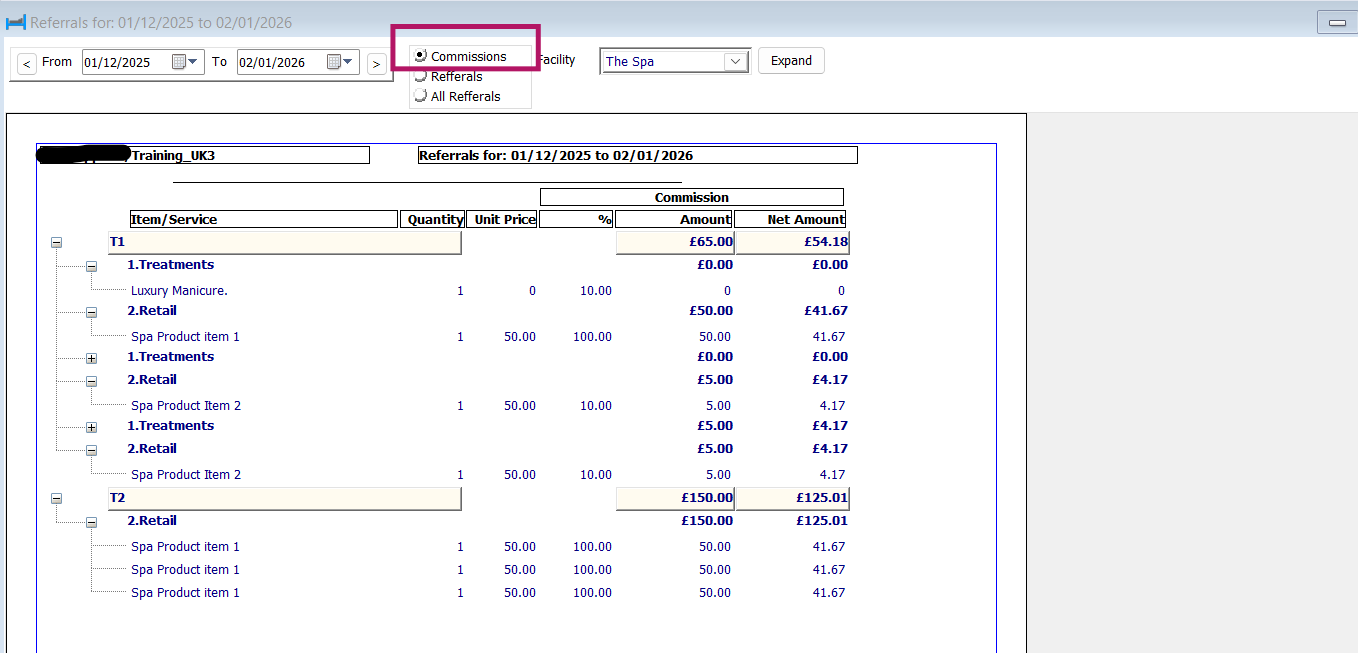
Note : Referrals must be carried out on the POS when using this set up.
Note: Close of day must be run.
Note: If there is an item commission set up then this overwrites the therapist commission retail commission and you refer as normal.
Note: To see the product referral on the referral report you must tick all referrals
Was this article helpful?
That’s Great!
Thank you for your feedback
Sorry! We couldn't be helpful
Thank you for your feedback
Feedback sent
We appreciate your effort and will try to fix the article