At the end of this information article you will be able to;
- Set a product commission value
- Set product referral via the PMS
- Set referrals or change a referral via the PMS
- Run the referral sales analysis report
To set the commission value for Product
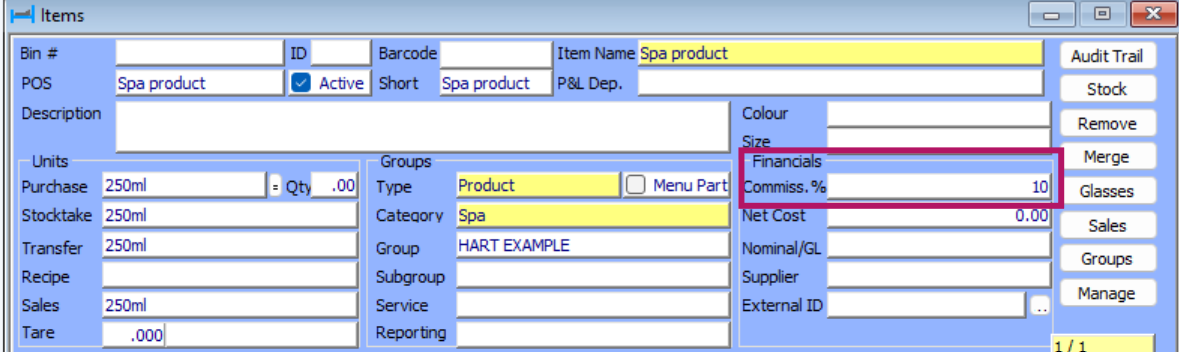
First you must set up the commission value in the item. This is done under Materials > Items.
Search for your item or create your product as per normal and under the Financials section add in the commission value for that product.
When this product is sold on the POS the team member must press the Refer button, you are then asked if this is for the whole order or just one item. A list of therapist then appear for the user to referral the product to.
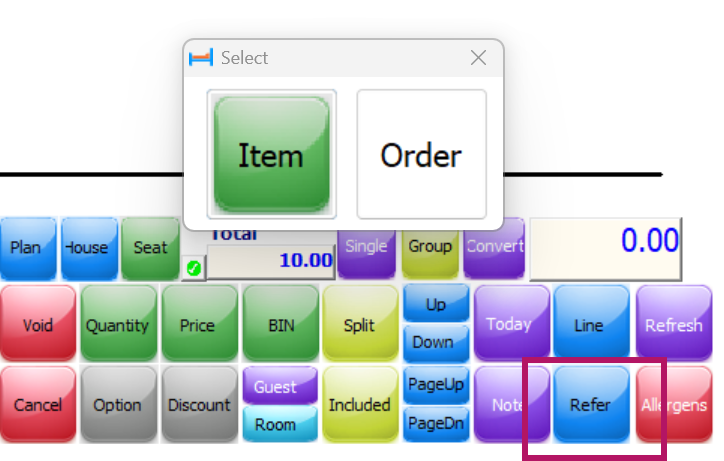
Note: The team member must be set up as a therapist to show in the drop down referral list.
How to add a referrals via PMS if this hasn't been allocated via the PMS.
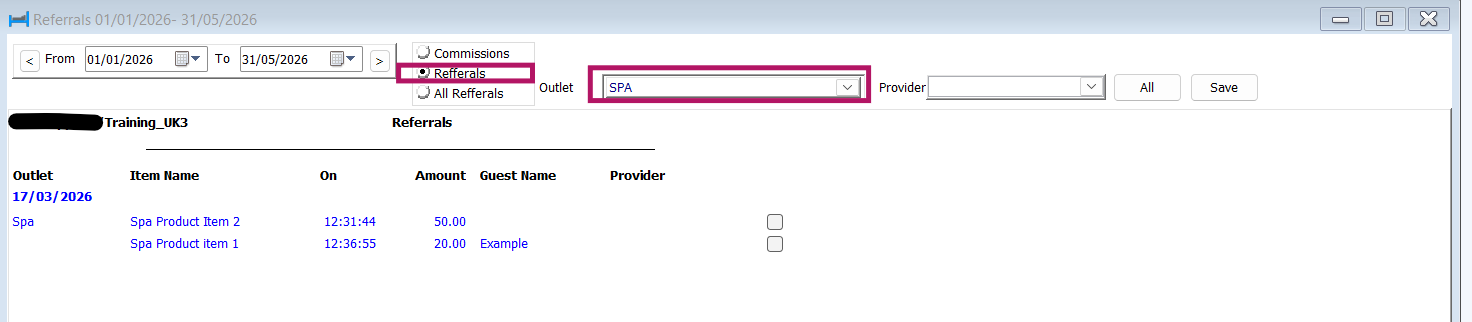
Navigate to Reports > Spa > Referral in the PMS. This report shows any items sold that has a commission value set in the item so you can then set your therapist referral.
- Choose the dates,
- Tick Referrals
- Choose your outlet
- Press Run to run the report, you will asked for the managers POS password.
The report shows you any product that has been sold that has a commission value that hasn't currently been referred.
Please note this display the selling price of the product not the commission value.
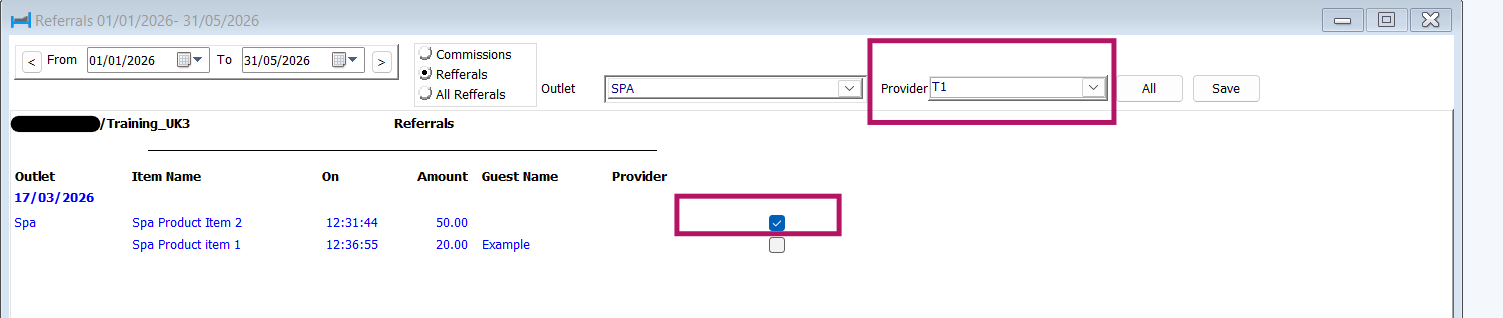
To allcate to the correct therapist
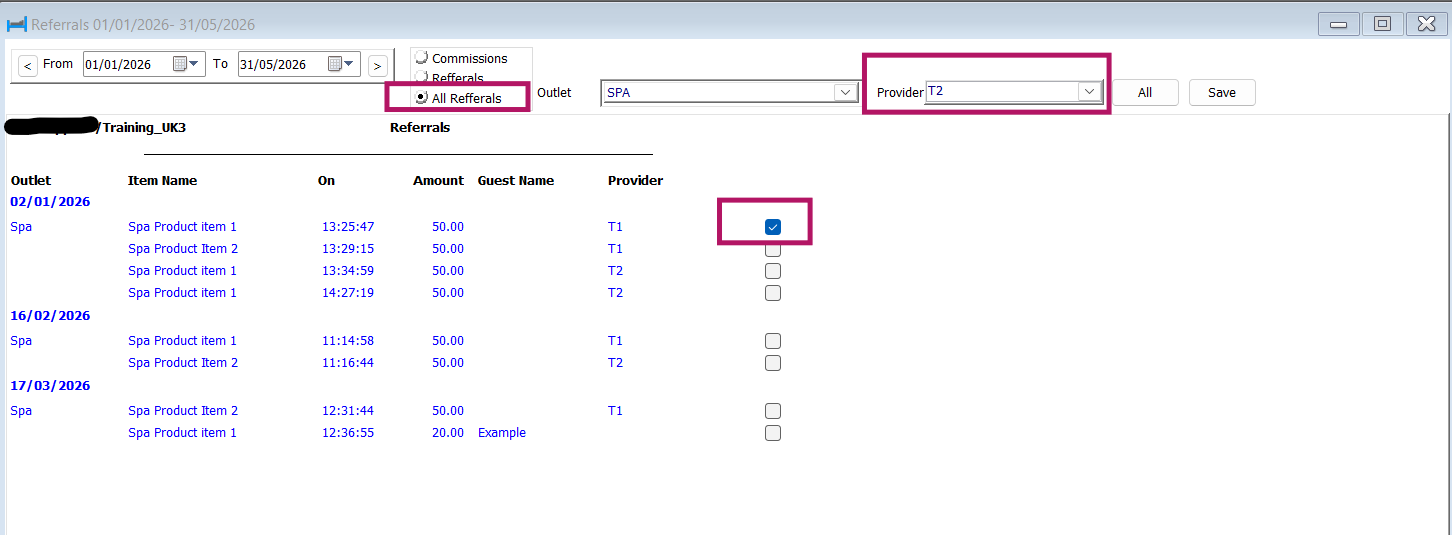
- Choose the therapist form the provider drop down box
- Tick the product you wish to refer.
- Press the save button.
From the same report you can also tick all Referrals and then run.
This displays all the referrals that have been made within the dates you choose. This will allow you to correct any referrals if you need to by
- Choosing the therapist in the provider field
- Tick the item
- Press save
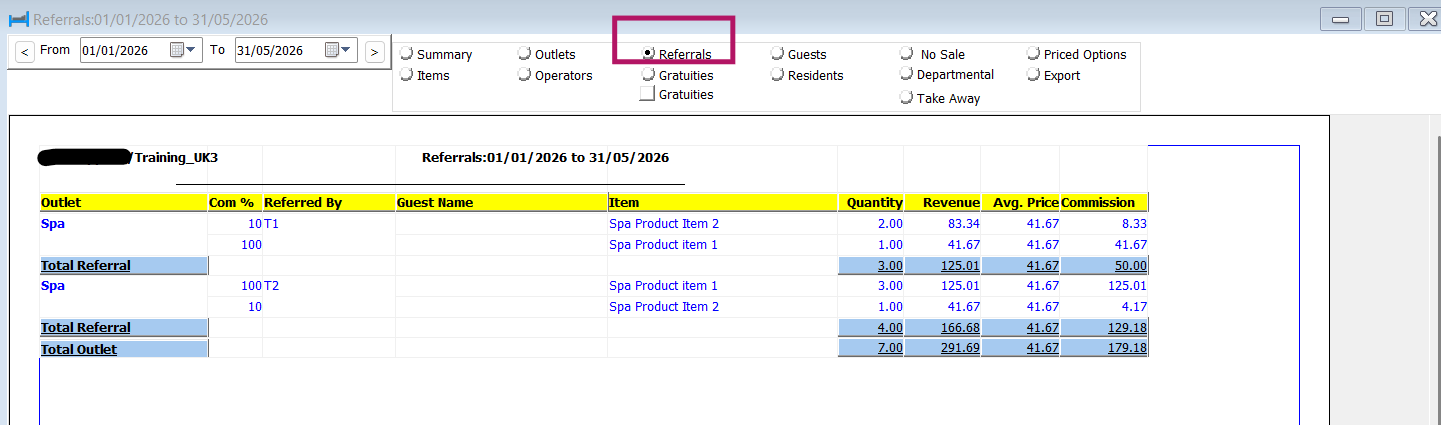
A further report to run is this;
Reports > Point of Sales > Sales analysis > Referrals, this report displays further information regarding revenue and commission price.
Was this article helpful?
That’s Great!
Thank you for your feedback
Sorry! We couldn't be helpful
Thank you for your feedback
Feedback sent
We appreciate your effort and will try to fix the article